How AI Report Cards Save Childcare Teachers 2 Hours a Day
Writing individual daily reports for every child is one of the most time-consuming tasks in childcare. Here is how AI-generated report cards collect the data throughout the day and turn it into detailed, parent-friendly summaries, giving teachers their time back.
The Daily Report Burden
Every parent wants to know what their child did today. What did they eat? How long did they nap? Did they reach a new milestone? Were they happy? These are not unreasonable questions, and the daily report is how childcare programs answer them.
The problem is scale. A lead teacher responsible for 15 children needs to write 15 individual summaries at the end of every day. Each report should cover meals, naps, diaper changes, activities, social interactions, and any notable moments. Done properly, that takes about 8 minutes per child. Multiply that out: 15 children times 8 minutes equals 2 hours of writing, every single day.
Those 2 hours come at the worst possible time. End of day is when teachers are tired, when children are being picked up, and when there are a dozen other closing tasks to complete. The result is predictable: reports get rushed, details get forgotten, and quality suffers. Some teachers skip them entirely when the day has been especially hectic.
Parents notice. A report that says "Had a good day!" tells them nothing. A report that arrives inconsistently, or not at all, erodes trust. And when parents lose confidence in communication, they start looking at other programs. Daily reports should strengthen the parent-provider relationship, not be a source of stress for everyone involved.
What Teachers Actually Do All Day
To understand why manual reports are so painful, consider what a teacher's day looks like. From the moment children arrive, teachers are logging activities in real time: marking attendance at check-in, recording meals and portions during breakfast, lunch, and snacks, noting diaper changes and nap times, documenting activities and learning moments, and capturing photos throughout the day.
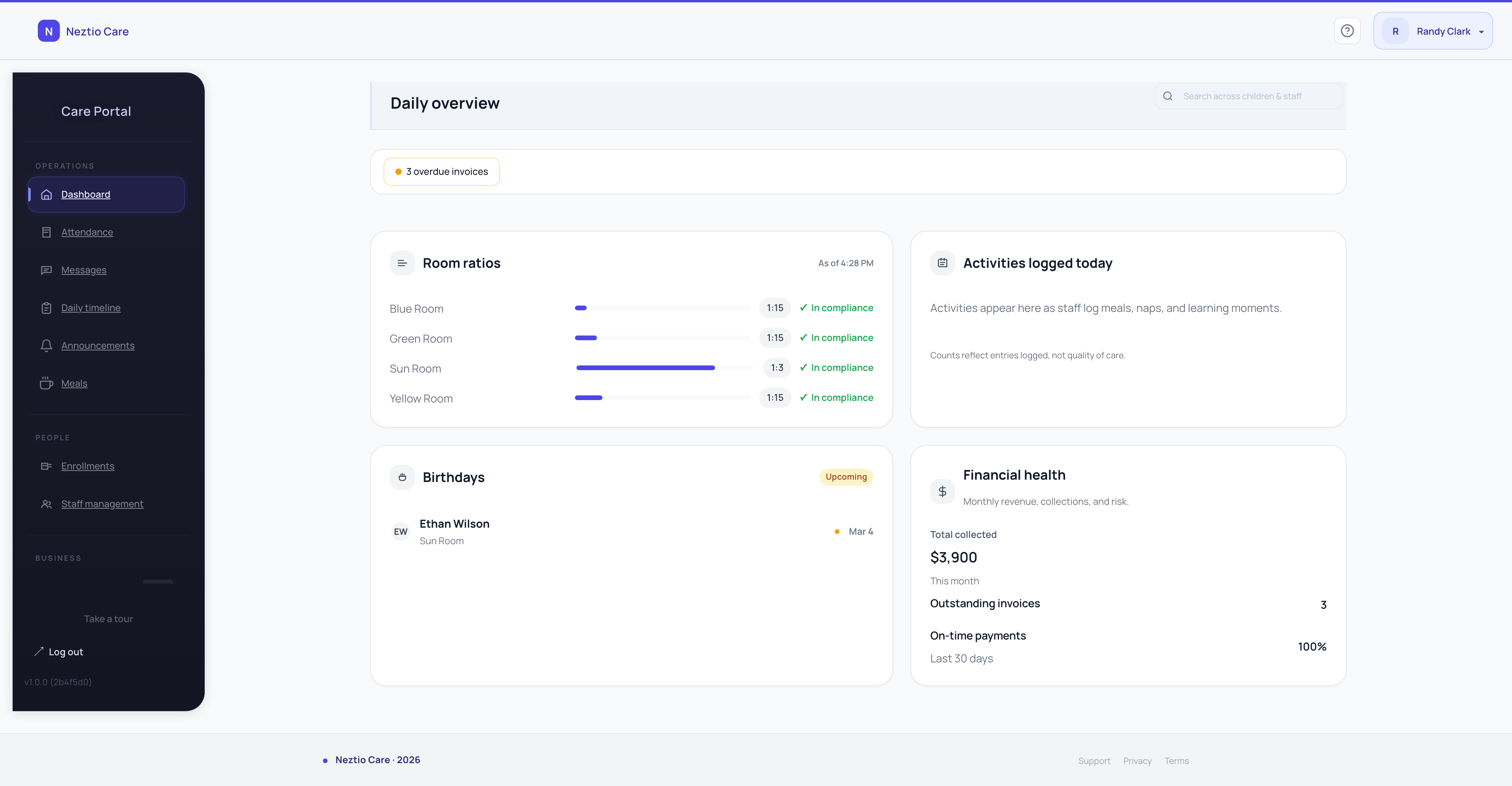
In a modern childcare management platform like Neztio, all of this data is already being captured digitally as part of the normal workflow. Teachers tap to record a meal. They log a nap start and end time. They snap a photo during art time. They note a milestone when a toddler takes their first steps.
The irony is that teachers are already creating the raw material for a great daily report. They just have to sit down at the end of the day and manually rewrite all of that information into a narrative format. It is duplicate work, and it is exactly the kind of problem AI is built to solve.
How AI Daily Report Cards Work
Neztio's AI daily report cards take the activity data that teachers have already logged throughout the day and automatically generate a comprehensive, parent-friendly summary for each child. Here is how the process works:
- 1
Data collection happens all day
As teachers go about their normal routines, they log meals, naps, diaper changes, activities, milestones, and notes in Neztio. This is work they are already doing. No extra steps are required.
- 2
AI generates the summary
At the end of the day, the system takes all of the logged data for each child and generates a natural-language summary. The AI organizes the information into a clear, warm narrative that covers everything: what the child ate, how long they napped, what activities they participated in, and any milestones or special moments.
- 3
Teacher reviews and sends
The AI-generated report is always a draft. Teachers review the summary, make any edits they want, and then send it to parents. The teacher stays in control. AI handles the writing; the teacher handles the judgment.
The key principle
AI drafts, teachers decide. Every report card is reviewed by a human before it reaches a parent. The AI never sends anything on its own. This is a core design principle across all of Neztio's AI features. For a broader look at how we think about AI in childcare, see our guide on AI in childcare.
The Time Savings Are Real
Let us break down the math. In a manual workflow, writing a thoughtful daily report takes about 8 minutes per child. For a classroom of 15 children, that is 2 hours of writing at the end of every day. Over a 5-day work week, that is 10 hours spent on report writing alone.
| Task | Manual | With AI Report Cards |
|---|---|---|
| Logging activities during the day | Already doing this | Already doing this |
| Writing each report (15 children) | ~120 minutes | 0 minutes (AI generates) |
| Reviewing and editing | N/A | ~15 minutes total |
| Total daily time | ~2 hours | ~15 minutes |
That is roughly 1 hour and 45 minutes saved per teacher, per day. Over a month, a single teacher gets back approximately 35 hours. For a center with multiple classrooms, the cumulative savings are substantial. That time goes back to lesson planning, one-on-one interactions with children, professional development, or simply leaving work on time.
Better Reports, Not Just Faster Reports
Speed is only half the story. AI-generated report cards are also more consistent and more detailed than what most teachers can produce at the end of a long day. Here is why:
Nothing gets forgotten
When a teacher writes a report from memory at 5:30 PM, they may forget that a child tried broccoli for the first time at lunch, or that they built a tower during free play. The AI pulls from every logged data point, so every detail is captured.
Consistent quality across classrooms
Some teachers are natural writers; others struggle to put the day into words. AI-generated reports maintain a consistent level of detail and tone across every classroom, so every parent gets the same quality of communication regardless of which teacher their child has.
Warm, parent-friendly language
The AI generates summaries in a natural, conversational tone that parents appreciate. Instead of clinical bullet points, parents receive a narrative that feels personal and caring.
Reports go out every day
When writing reports is easy, they actually get done. No more skipped days because the afternoon was hectic. Parents can count on receiving an update every single day, which builds trust and satisfaction with your program.
Privacy and Safety Built In
Using AI with children's data requires serious safeguards. This is not a consumer chatbot. Neztio has built multiple layers of protection into its AI daily report cards:
Safety measures
PII scrubbing on all AI inputs
Before any data is sent to the AI model, personally identifiable information is scrubbed. The AI works with anonymized data to generate the report, and identifying details are reinserted only in the final output.
Per-child AI consent controls
Parents can opt their child in or out of AI-generated features at any time. If a parent prefers that AI not be used for their child's reports, the teacher writes that report manually. Consent is granular and parent-controlled.
RBAC-gated access
Only staff members with the appropriate role-based permissions can generate or view AI report cards. Access is controlled by the center's role hierarchy, not available to everyone.
Profanity filtering on all outputs
Every AI-generated report passes through a profanity filter before it can be reviewed or sent. This ensures that no inappropriate language ever reaches a parent, even in edge cases.
No child data used for model training
Children's data is never used to train AI models. The data is processed to generate the report and that is it. It is not retained by the AI provider, not used to improve the model, and not shared with any third party.
For a deeper look at how Neztio approaches AI safety across all features, read our full guide on AI safety in childcare software.
What Parents Actually See
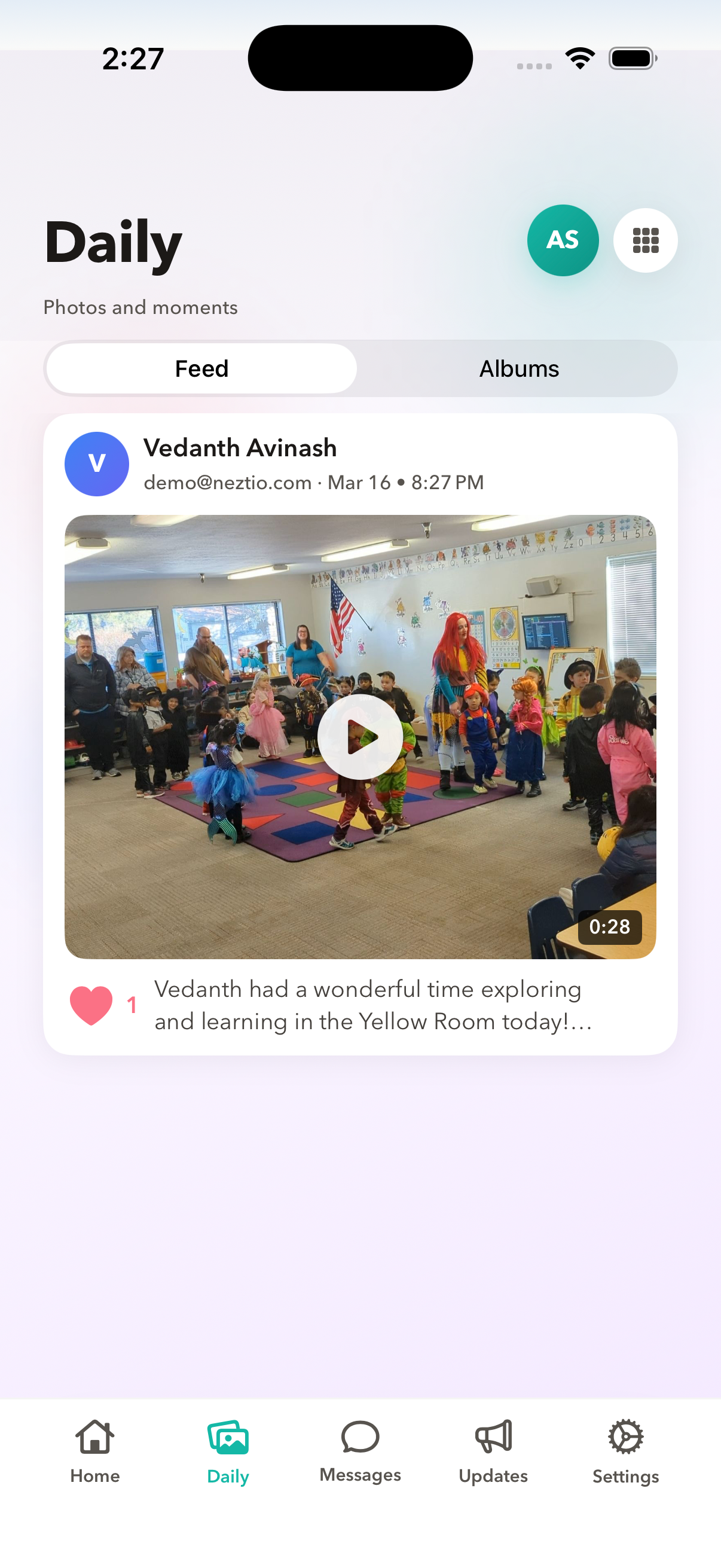
Parents receive the finished report in the Neztio parent app. From their perspective, it looks like a detailed, thoughtful summary written by their child's teacher. The report covers everything a parent cares about:
Meals and portions consumed at breakfast, lunch, and snacks
Nap duration and quality
Activities and learning experiences throughout the day
Milestones and developmental observations
Social interactions and mood
Any notes the teacher added during the day
The report is comprehensive because the data is comprehensive. When teachers log activities as they happen, the AI has everything it needs to paint a full picture of the child's day. Parents feel more connected to their child's experience, and teachers are recognized for the quality of their communication without spending hours writing.
Part of a Bigger AI Toolkit
AI daily report cards are one of several AI-powered features in Neztio, all built on the same safety-first principles. The AI assistant, powered by Anthropic's Claude, helps directors and staff with questions about their center data using more than 10 Firestore query tools. Smart photo captions automatically suggest descriptions for activity photos. Message rewriting helps teachers polish their communication with parents. Reply suggestions speed up parent messaging. And a weekly AI briefing gives directors a summary of key trends across their center.
Every one of these features follows the same pattern: AI drafts, humans decide. No AI feature in Neztio sends anything to a parent without a staff member reviewing and approving it first. For a complete overview of how AI is woven into the platform, see our guide on AI in childcare.
The Bottom Line
Daily reports are essential for parent satisfaction and program quality, but they should not cost teachers 2 hours of their day. AI-generated report cards take the data teachers are already logging and transform it into detailed, consistent, parent-friendly summaries in seconds. Teachers get their time back. Parents get better communication. And centers reduce one of the biggest contributors to staff burnout and turnover.
Ready to give your teachers their afternoons back? See how Neztio's AI daily report cards and other features help childcare centers save time and improve parent communication.
Related
AI in Childcare: How Neztio Uses Artificial Intelligence
Related
AI Safety in Childcare Software: How Neztio Protects Children's Data
Glossary terms in this article
Daily Report
A summary of a child's day sent to parents, covering activities, meals, naps, and milestones.
Parent Communication
The systems and practices childcare programs use to keep families informed about their child's care and development.
Attendance Tracking
Recording children's daily attendance at a childcare facility, required for licensing, billing, and CACFP claims.
Staff-to-Child Ratio
The number of caregivers required per group of children, set by state licensing regulations based on age.