Daycare Software with a Parent App: Why It Matters for Your Center
Parents interact with your childcare software every day, often more than your staff does. A dedicated parent app is no longer a nice-to-have. It is a core part of the parent experience and a direct reflection of your center's professionalism.
Why a Parent App Matters
Think about how parents experience your center. They drop off their child in the morning, go to work, and for the next 8-10 hours, they have limited visibility into their child's day. A parent app bridges that gap. It gives families a real-time window into what their child is doing, eating, and learning, all without disrupting your staff.
Beyond visibility, a parent app reduces the most common sources of friction between centers and families: unanswered questions about the day, confusion about billing, missed pickup notifications, and the back-and-forth of scheduling changes. When parents can check-in, view updates, send messages, and pay tuition from their phone, the volume of phone calls, texts, and hallway conversations drops significantly.
For your center, this translates to real time savings. Staff spend less time answering repetitive questions and chasing down paperwork. Directors spend less time mediating communication gaps. The app becomes the primary channel for parent interaction, keeping everything organized and documented. For a deeper look at communication strategies, see our guide on parent communication strategies.
Features Parents Expect in 2026
Parent expectations have evolved. Families who use modern apps for banking, healthcare, and groceries expect the same quality from their childcare provider. Here are the features that parents now consider standard:
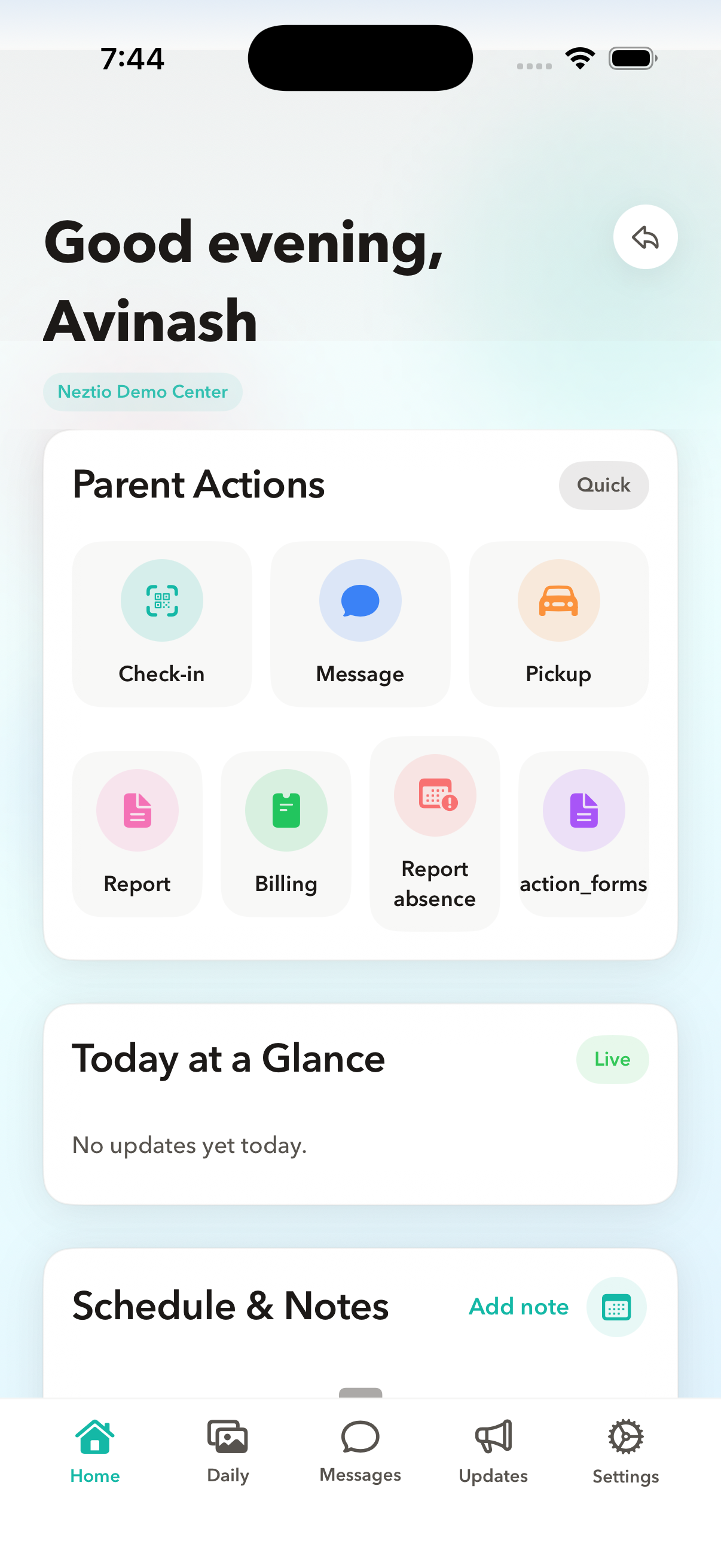
Digital check-in and check-out
Parents want to check their child in and out quickly, ideally with a QR code scan that takes seconds. Paper sign-in sheets feel outdated and create a bottleneck at the door during busy drop-off and pickup times. Digital check-in also records exact times automatically, which is important for billing accuracy and licensing compliance. See our attendance tracking guide for more.
Real-time daily reports and timeline
Parents want to see what their child did during the day: meals eaten, nap times, activities completed, and any notes from teachers. The best apps present this as a real-time timeline that updates throughout the day, so parents do not have to wait until pickup to know what happened.
Photo and video sharing
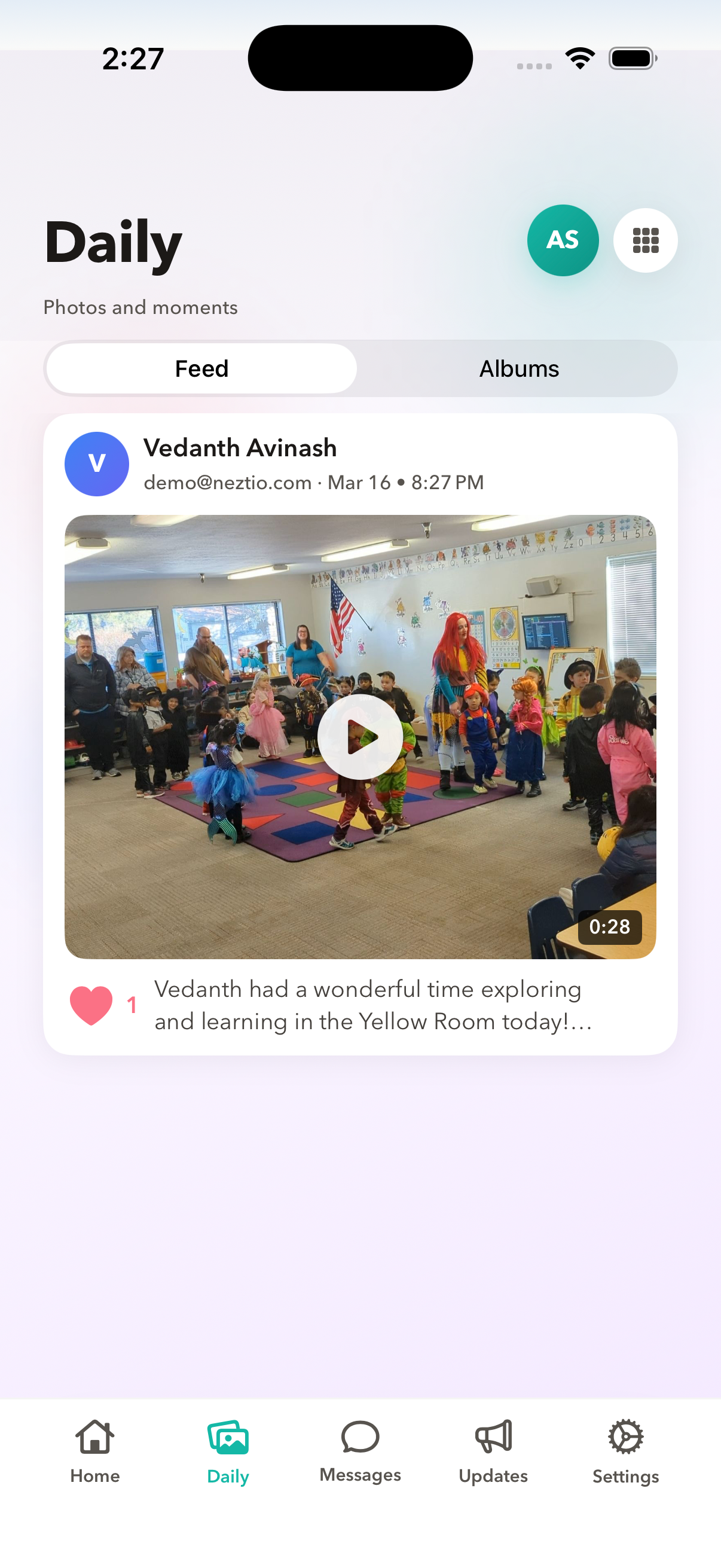
Nothing makes a parent's day like seeing a photo of their child playing, creating art, or learning something new. A good parent app lets staff share photos directly to families without using personal phones or social media. This keeps photos secure and documented within the platform.
In-app messaging
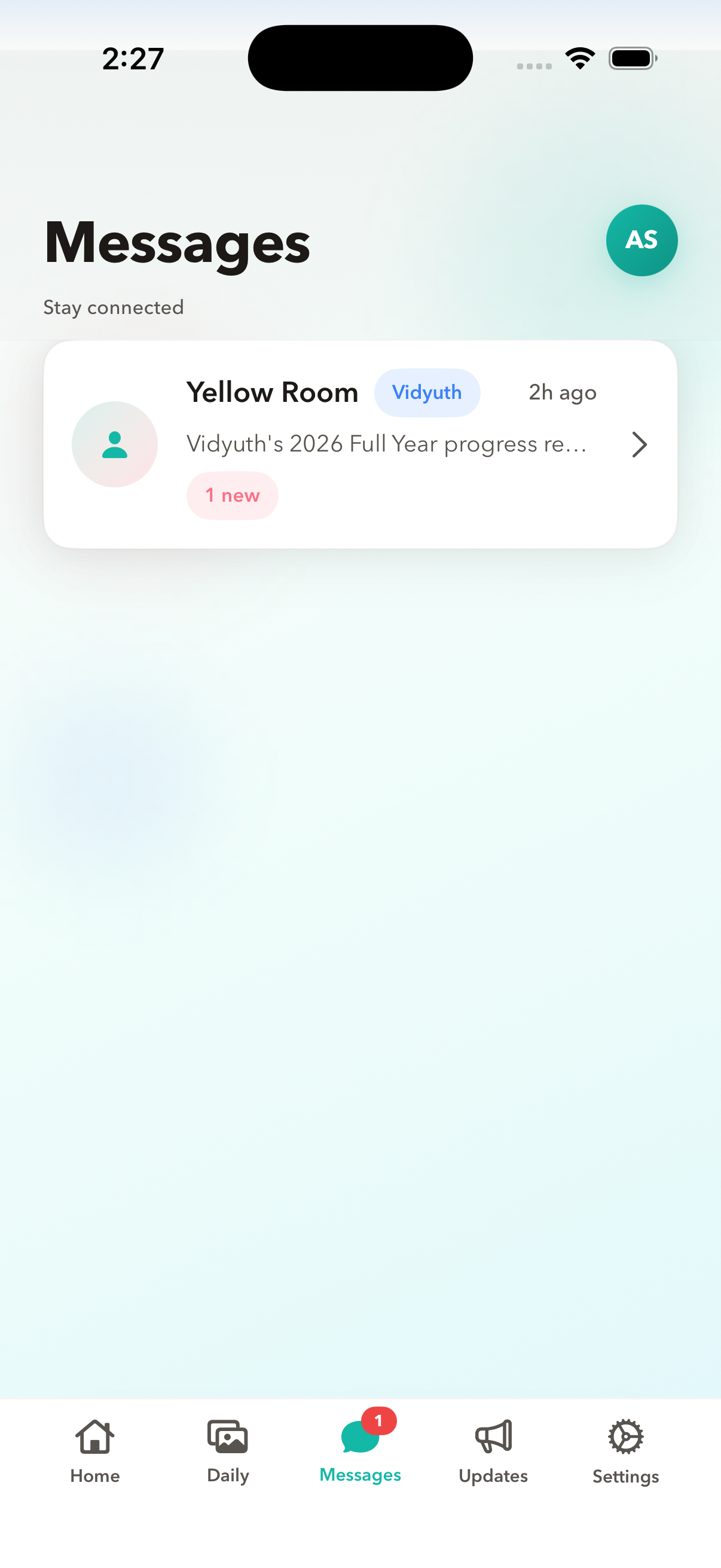
Parents need a way to communicate with their child's teacher and the center director. In-app messaging keeps all conversations in one place, creates a record for reference, and eliminates the chaos of mixing childcare communication into personal text messages and email.
Billing and payment
Parents want to view invoices, see payment history, and pay tuition directly from the app. The easier you make it to pay, the fewer late payments you will deal with. Online payment through the parent app is one of the highest-impact features for improving cash flow at your center.
Announcements and notifications
Center closures, upcoming events, policy reminders, and schedule changes need to reach every family quickly. Push notifications through a parent app have far higher read rates than email. When something is urgent, you want to know families will see it.
Native App vs. Web-Only: Why the Difference Matters
Not all parent apps are created equal. There is an important distinction between a native mobile app (downloaded from the App Store or Google Play) and a mobile-responsive website that you access through a browser. The differences matter more than you might think:
| Capability | Native App | Web-Only |
|---|---|---|
| Push notifications | Yes, real-time | Limited or none |
| Camera access for check-in | Instant QR scan | Requires permission prompts |
| Speed and responsiveness | Optimized for device | Depends on connection |
| Biometric login (Face ID, fingerprint) | Supported | Limited support |
| Home screen icon | Automatic after install | Manual add-to-home required |
| Offline access | Partial (cached data) | None |
The bottom line: a native app feels professional and reliable. A mobile website feels like a workaround. When parents compare your center to others, the quality of the parent app experience is part of that comparison, whether you realize it or not.
How a Parent App Reduces Administrative Burden
The benefits of a parent app extend beyond parent satisfaction. When parents can self-serve through an app, your staff reclaims significant time:
Fewer phone calls and hallway interruptions
When parents can check the daily timeline, view photos, and message their child's teacher through the app, the volume of "How was today?" calls drops dramatically. Teachers can focus on the children instead of fielding questions.
Faster check-in and check-out
QR code check-in through the parent app takes seconds. Compare this to a paper sign-in sheet where 20 parents wait in line during a 30-minute drop-off window. Digital check-in eliminates bottlenecks and records exact times for billing and compliance.
Reduced billing follow-up
When parents can view and pay invoices through the app, late payment rates drop. Automated payment reminders through the app replace manual follow-up calls and awkward in-person reminders. For more on streamlining billing, see our billing automation guide.
Documented communication
Every message sent through the app is stored and searchable. If a parent claims they were not informed about a policy change or an incident, you have a record. This protects your center and eliminates "he said, she said" disputes.
Centralized announcements
Instead of sending separate emails, posting on social media, and putting up physical notices, you send one announcement through the app. Push notifications ensure parents see it. No more wondering if families got the message.
What to Look for in a Parent App
Not every childcare platform's parent app is equal. Here is a checklist for evaluating the parent experience when choosing childcare software:
- 1
Available on both iOS and Android
Your families use both platforms. An app that is only available on one excludes part of your parent base. Always confirm the app is available in both the Apple App Store and Google Play Store.
- 2
Fast, reliable check-in flow
Test the check-in process yourself. How many taps does it take? Does the QR scanner open quickly? Is there a fallback if the camera does not work? Parents will use this feature twice a day, every day. If it is slow or clunky, they will notice.
- 3
Real-time updates, not end-of-day summaries
Parents want to see updates as they happen, not a single summary at 5 PM. Look for apps that show a live daily timeline that updates in real time as staff log activities.
- 4
Bilingual support
If your center serves families who speak languages other than English, the parent app should support those languages. Neztio supports English and Spanish across the entire parent app. This is not just a translated interface; it includes all notifications, daily reports, and messaging.
- 5
Clean, professional design
The parent app is an extension of your center's brand. A dated or cluttered interface reflects poorly on your program. Look for apps that feel modern, load quickly, and are easy to navigate for parents of all tech skill levels.
Neztio's Parent App
Neztio offers dedicated native apps for both iOS and Android. Here is what parents get:
QR code check-in and check-out
Parents scan a QR code at drop-off and pickup. The entire process takes seconds. Exact times are recorded automatically for attendance and billing.
Real-time daily timeline
Parents see a live feed of their child's day: meals, naps, activities, photos, and teacher notes. Updates appear as staff log them, not at the end of the day.
In-app messaging
Direct messaging with teachers and the center director. All conversations are saved and searchable. No more lost texts or missed emails.
Photo sharing
Staff share photos directly through the platform. Parents receive them in the app with push notifications. Photos stay within the secure platform rather than being shared through personal channels.
Billing and payments
Parents view invoices, check payment history, and pay tuition directly from the app. Supports credit card and ACH payments.
Announcements
Center-wide announcements are delivered as push notifications. Parents see them immediately, and the announcement is also stored in the app for later reference.
Bilingual (English and Spanish)
The entire app, including all notifications, reports, and messaging, is available in both English and Spanish. Parents choose their preferred language in settings.
The parent app is included on every Neztio plan, including the free Starter plan. There is no extra charge for parent app access. See all features.
The Enrollment Advantage
Here is something many center directors overlook: your parent app is a competitive advantage during the enrollment process. When families tour your center and you show them the parent app, it demonstrates that your program is organized, professional, and invested in transparency.
Prospective parents compare your center against others on multiple dimensions: location, curriculum, staff qualifications, and price. But the day-to-day experience, how easy it is to communicate with teachers, how they will check their child in, how they will pay tuition, is what shapes their long-term satisfaction. A polished parent app signals that you have thought about the details.
It also reduces a common barrier to enrollment: the fear of being disconnected from their child during the day. When parents see that they will receive real-time updates, photos, and an open messaging channel with their child's teacher, it eases the anxiety that comes with leaving a child in someone else's care. This is especially powerful for first-time parents or families new to center-based care. For more on the enrollment process, see our enrollment guide.
The Bottom Line
A dedicated parent app is no longer optional for childcare centers that want to compete. Parents expect digital check-in, real-time daily reports, in-app messaging, photo sharing, and online payments. A native app (not just a mobile website) delivers these features with the speed, reliability, and polish that families have come to expect from every other app on their phone.
Neztio includes native iOS and Android parent apps on every plan, starting with the free Starter plan. Try it free and see the parent experience firsthand.
Related
Parent Communication Strategies for Childcare Centers
Related
Digital Attendance Tracking for Daycare Centers
Glossary terms in this article
Parent Communication
The systems and practices childcare programs use to keep families informed about their child's care and development.
Check-In / Check-Out
The process of recording when a child arrives at and departs from a childcare facility, required for licensing and billing.
Attendance Tracking
Recording children's daily attendance at a childcare facility, required for licensing, billing, and CACFP claims.
Enrollment
The process of registering a child in a childcare program, including collecting required documents and family information.