How to Streamline Your Childcare Enrollment Process
Enrollment is often the most time-consuming administrative task at a childcare center. Here is how to build a workflow that collects the right documents, keeps families informed, and gets new children settled quickly.
Quick Answer
Construya un flujo de inscripción consistente con seis fases: consulta, recorrido, solicitud, recopilación de documentos, lista de espera o aceptación, e incorporación. Recopile registros de vacunación, contactos de emergencia, listas de personas autorizadas para recoger y información médica antes del primer día del niño para cumplir con los requisitos de licencia.
The Enrollment Bottleneck
For many childcare directors, enrollment is a constant source of administrative friction. Between collecting paperwork, chasing missing documents, coordinating with families, and keeping track of available spots, the process can consume hours every week that could be spent on program quality and child development.
The problem compounds as centers grow. A single-classroom home daycare might manage enrollment with a clipboard and a filing cabinet, but a multi-classroom center serving dozens of families needs a structured system. Without one, common issues emerge:
Paper forms get lost or arrive incomplete
Families fill out forms at home and forget required fields. Staff spend time calling families back to collect missing signatures or emergency contact details.
Document collection drags on for weeks
Immunization records, custody documents, and subsidy paperwork trickle in over time, delaying the child's start date.
Waitlist communication falls through the cracks
When a spot opens, staff may not remember which family has been waiting longest, or families drop off because they never heard back.
Licensing audits reveal gaps
During a licensing visit, missing immunization records or unsigned authorization forms can result in citations and corrective action plans.
What Families Actually Need to Submit
Enrollment document requirements come from a combination of state licensing regulations, federal programs (like CACFP or CCDF subsidy), and your center's own policies. While specifics vary by state, there is a core set that nearly every licensed program needs to collect. For a broader overview of what licensing requires, see our childcare licensing checklist.
Universally required documents
Immunization records
Every state requires proof of up-to-date immunizations or a valid exemption form. This is the single most common document missing during licensing audits.
Emergency contacts
At least two emergency contacts with phone numbers, typically required to be someone other than the enrolling parent or guardian.
Authorized pickup list
A written list of individuals authorized to pick up the child. This is a safety requirement, not optional, and most states require photo ID verification at pickup for anyone on this list.
Medical and allergy information
Known allergies, medications, dietary restrictions, and the child's pediatrician contact. Critical for health and safety, especially for meal planning and medication administration.
Signed parent handbook acknowledgment
Confirms the family has reviewed your policies on discipline, illness, payment terms, and pickup procedures. Our guide to writing a parent handbook covers what to include.
Situational documents
Custody or court orders
If applicable, legal documentation specifying custody arrangements and any individuals restricted from contact or pickup.
Subsidy approval letters
For families receiving childcare assistance through state CCDF programs, you will need a copy of their subsidy authorization including the approved rate and coverage dates. Our childcare subsidy guide explains how these programs work.
Special needs or IEP/IFSP documentation
If the child has an Individualized Education Program or Individualized Family Service Plan, this helps staff provide appropriate accommodations.
Check your state requirements
Every state has its own licensing regulations that specify exactly which documents must be on file and within what timeframe. Check with your state's childcare licensing agency for the definitive list, or browse our enrollment glossary entry for a complete overview of the term. Some states also require a physical exam form or a lead screening within a certain number of days of enrollment.
Building an Enrollment Workflow
A clear, repeatable enrollment workflow prevents things from slipping through the cracks. Here is a six-phase process that works for most childcare centers:
- 1
Inquiry
A family reaches out by phone, email, or through your website. Capture their name, child's age, desired start date, and schedule needs. Respond within 24 hours, even if just to acknowledge receipt and offer next steps.
- 2
Tour
Schedule an in-person or virtual tour. This is often the deciding factor for families. Let them see the classrooms, meet lead teachers, and ask questions about your program, ratios, and curriculum.
- 3
Application
After the tour, provide the family with an enrollment application. This collects basic child and family information, schedule preferences, and authorizes you to begin the enrollment process. Some centers collect a non-refundable registration fee at this stage.
- 4
Document collection
Send the family a clear checklist of required documents (immunization records, emergency contacts, authorized pickups, medical info, signed handbook). Set a deadline and follow up if items are missing. The child should not start until all required documents are on file.
- 5
Waitlist or acceptance
If you have an open spot in the appropriate classroom, confirm the child's enrollment and start date. If not, add the family to your waitlist with a clear explanation of how it works and when they can expect an update.
- 6
Onboarding
Before the child's first day, orient the family to your daily routines, communication tools, billing setup, and drop-off/pickup procedures. A smooth first week sets the tone for the entire relationship.
Keep it consistent
Every family should go through the same steps in the same order. Consistency prevents gaps, ensures compliance, and gives families confidence that your program is well-organized.
Managing a Waitlist Effectively
A waitlist is a good problem to have, but only if you manage it well. Families on a waitlist are potential enrollments, and how you communicate with them determines whether they are still interested when a spot opens.
First-come, first-served vs. priority systems
Most centers use first-come, first-served ordering, which is simple and transparent. Some centers give priority to siblings of currently enrolled children, staff children, or families transitioning from an infant room. Whatever system you use, document it in your parent handbook so families know what to expect.
Regular communication is essential
Check in with waitlisted families at least monthly, even if their position has not changed. A brief email letting them know their status and approximate timeline keeps them engaged. Families who hear nothing for months will assume you have forgotten them and enroll elsewhere.
Converting waitlist to enrollment
When a spot opens, contact the next family immediately and give them a clear response window (typically 48 to 72 hours). If they decline or do not respond, move to the next family. Have your enrollment paperwork ready to send as soon as they accept so you can fill the spot quickly.
Track your conversion rate
If families consistently decline when offered a spot, your wait times may be too long, or your follow-up is not frequent enough. Tracking how many waitlisted families actually enroll helps you forecast revenue and identify communication gaps.
Common Enrollment Mistakes
Even experienced directors make these mistakes. Each one can lead to compliance issues, safety risks, or frustrated families.
Missing or expired immunization records
This is the number one finding in licensing audits. Records must be on file before the child's first day, and they need to be updated as the child receives new vaccinations. Set calendar reminders to check for expiring records.
No authorized pickup list on file
Without a documented list, staff do not have a clear basis for releasing or refusing to release a child. This is a safety issue, and most states treat it as a serious licensing violation.
Incomplete emergency contacts
Having only one phone number or listing the enrolling parent as the sole emergency contact defeats the purpose. If the parent is unreachable, you need alternative contacts with current phone numbers.
Unsigned parent handbook acknowledgment
If a dispute arises about your policies on late pickup fees, illness exclusion, or discipline, a signed acknowledgment is your documentation that the family was informed. Without it, you have no record that the family agreed to your terms.
Letting children start before paperwork is complete
It is tempting to accommodate a family that needs to start right away, but allowing a child to attend without all required documents on file puts your license at risk. Establish a firm policy: no first day without a complete file.
Digital vs. Paper Enrollment
Many centers still rely on paper enrollment packets: printed forms, physical signatures, and filing cabinets. While this works, it has real limitations as your program grows.
Paper enrollment
No technology learning curve
Works without internet access
Easy to lose or misfile documents
Hard to track what is missing
No automatic reminders for expiring records
Difficult to share across staff
Digital enrollment
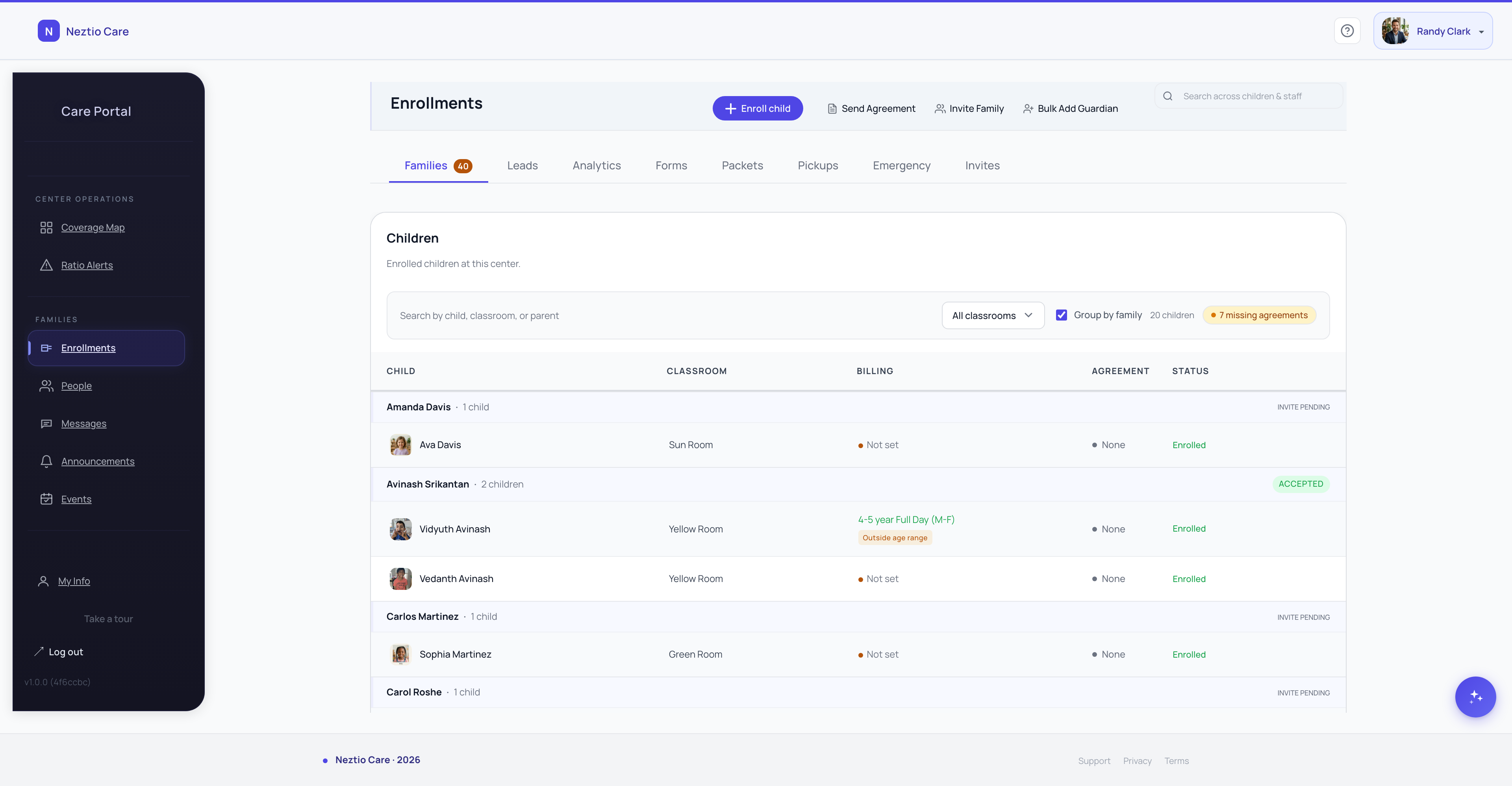
Documents collected and stored in one place
Clear visibility into what is complete vs. missing
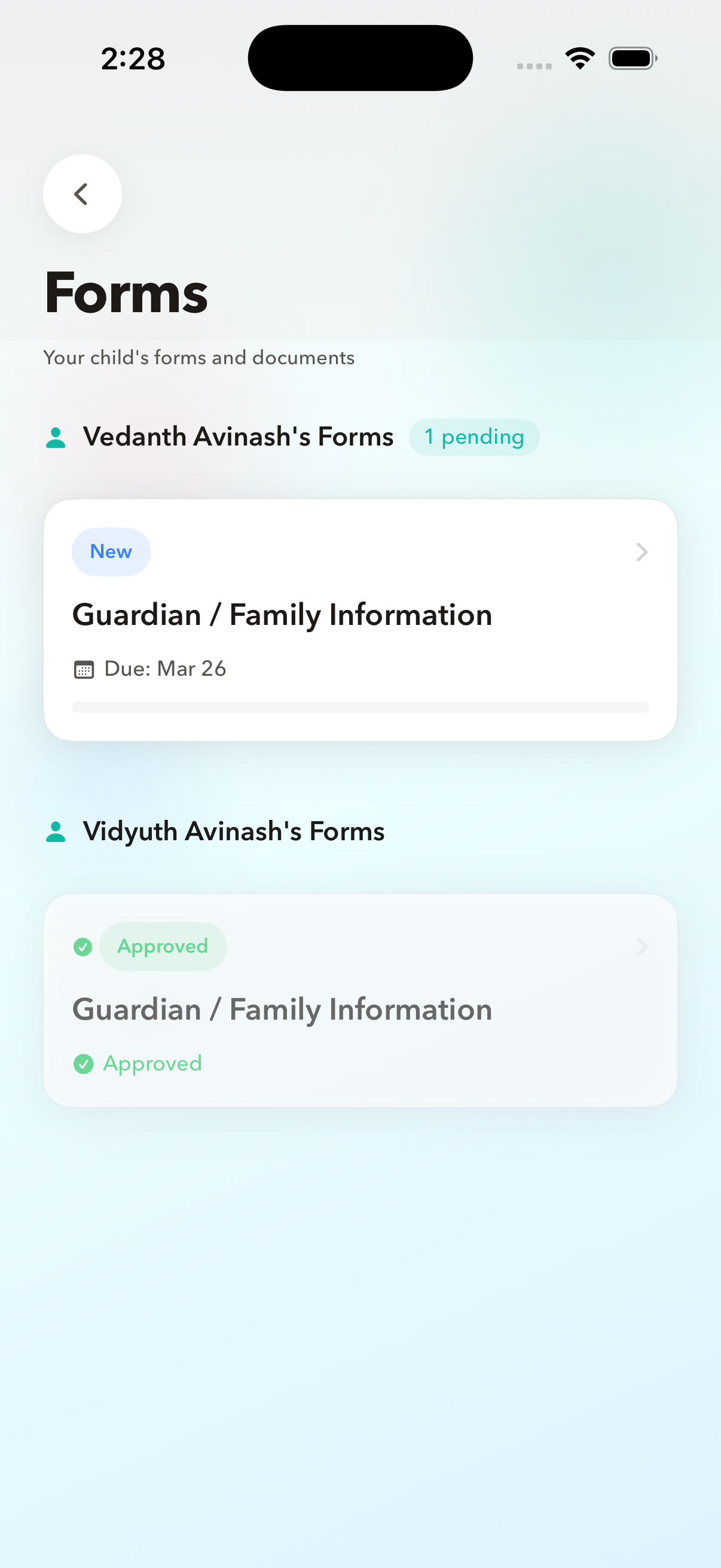
Families can submit from their phone
Easier to stay audit-ready
Requires families to be comfortable with technology
Monthly software cost
If you are considering digital enrollment, look for software that lets you define which documents are required, tracks completion status per child, and stores everything securely. Neztio includes built-in enrollment management that handles document collection and tracks each family's progress through your enrollment workflow.
Onboarding New Families
The enrollment process does not end when the paperwork is signed. The first week a child attends your program is a critical period for both the child and the family. A thoughtful onboarding experience reduces anxiety, builds trust, and sets expectations. If you are building your enrollment process as part of a new program, our guide on starting a daycare covers the full picture from licensing through opening day.
Orientation before the first day
Walk the family through daily routines, meal times, nap schedules, and drop-off/pickup procedures. Introduce them to their child's lead teacher. Answer questions before day one so the first morning goes smoothly.
Set up communication channels
Show families how they will receive daily reports and activity updates, and how to message their child's teacher. Families who feel connected to their child's day are more satisfied and stay enrolled longer. For best practices, see our guide on parent communication in daycare.
Billing and payment setup
Confirm the tuition amount, payment schedule, and payment method before the child starts. Getting billing set up during onboarding prevents awkward conversations later. Learn how to automate your billing to make this even easier.
Transition plan for the child
Many centers offer a gradual start: shorter days in the first week, with a parent available by phone. This is especially helpful for infants and toddlers. Discuss separation strategies with the family and be transparent about what to expect during the adjustment period.
Follow up after the first week
Check in with the family after the first few days. Ask how the child is adjusting, whether they have questions, and if there is anything you can do differently. This small step shows families you care about their experience beyond the transaction.
The Bottom Line
A well-structured enrollment process protects your license, fills your classrooms faster, and gives families a positive first impression of your program. Whether you are using paper forms or digital tools, the key is having a consistent, documented workflow that every family goes through.
Neztio's enrollment management helps childcare centers collect documents, track enrollment progress, and onboard families digitally. See how it works and simplify your enrollment process.
Glossary terms in this article
Enrollment
The process of registering a child in a childcare program, including collecting required documents and family information.
Waitlist
A queue of families waiting for an available spot at a childcare center, managed by order of inquiry or priority criteria.
Licensing
State-issued permission to operate a childcare facility, requiring compliance with health, safety, and staffing standards.
Tuition
The recurring fee families pay for childcare services, typically charged weekly, biweekly, or monthly.