How to Choose Childcare Management Software in 2026
Choosing childcare software is one of the biggest decisions a director makes. The right platform saves hours every week. The wrong one creates more problems than it solves. This guide walks through what to look for, what to avoid, and how to evaluate properly.
Quick Answer
Look for software that combines attendance tracking, billing automation, parent communication, and compliance reporting in one platform. Prioritize flat pricing over per-child fees, mobile apps for staff and parents, and built-in AI features that save directors 5-10 hours per week.
1. Start with your daily workflow, not a feature list
Most directors start by comparing feature lists. That is the wrong approach. Features look similar across platforms. What matters is how the software fits into your actual day.
Ask yourself: What does morning check-in look like? How do staff record activities? How do parents get updates? How does billing run at the end of the month? If the software does not match these workflows, features do not matter.
What to do
Write down your center's top 5 daily pain points before you start evaluating. Then test each platform against those specific problems.
If you are opening a brand-new program, our guide on how to start a daycare walks you through everything from licensing to enrollment before you even get to the software decision.
2. Understand the pricing model before anything else
Childcare software pricing varies wildly. Some charge per child, some charge per staff member, some charge a flat fee per center. The pricing model affects your costs more than the sticker price.
Per-child pricing
Your cost increases with every enrollment. A center with 80 children could pay 2-3x what a center with 30 children pays for the same software.
Custom quotes with no published pricing
If you have to talk to sales to learn the price, you are likely paying more than you need to. Transparent pricing is a signal of confidence.
Flat per-center pricing
One predictable monthly cost regardless of enrollment size. Your bill does not change as your center grows.
Watch out
Some platforms advertise low starting prices but add fees for features like online payments, advanced reporting, or additional users. Ask about the total cost for your center size and the features you need.
3. Must-have features for any childcare platform
Regardless of which platform you choose, these capabilities are non-negotiable in 2026:
Real-time attendance tracking
Digital check-in with QR codes or kiosk mode. Paper sign-in sheets are a liability.
Parent communication
In-app messaging, daily reports, and photo sharing. Parents expect real-time updates.
Staff management
Schedule tracking, room assignments, and shift management in one place.
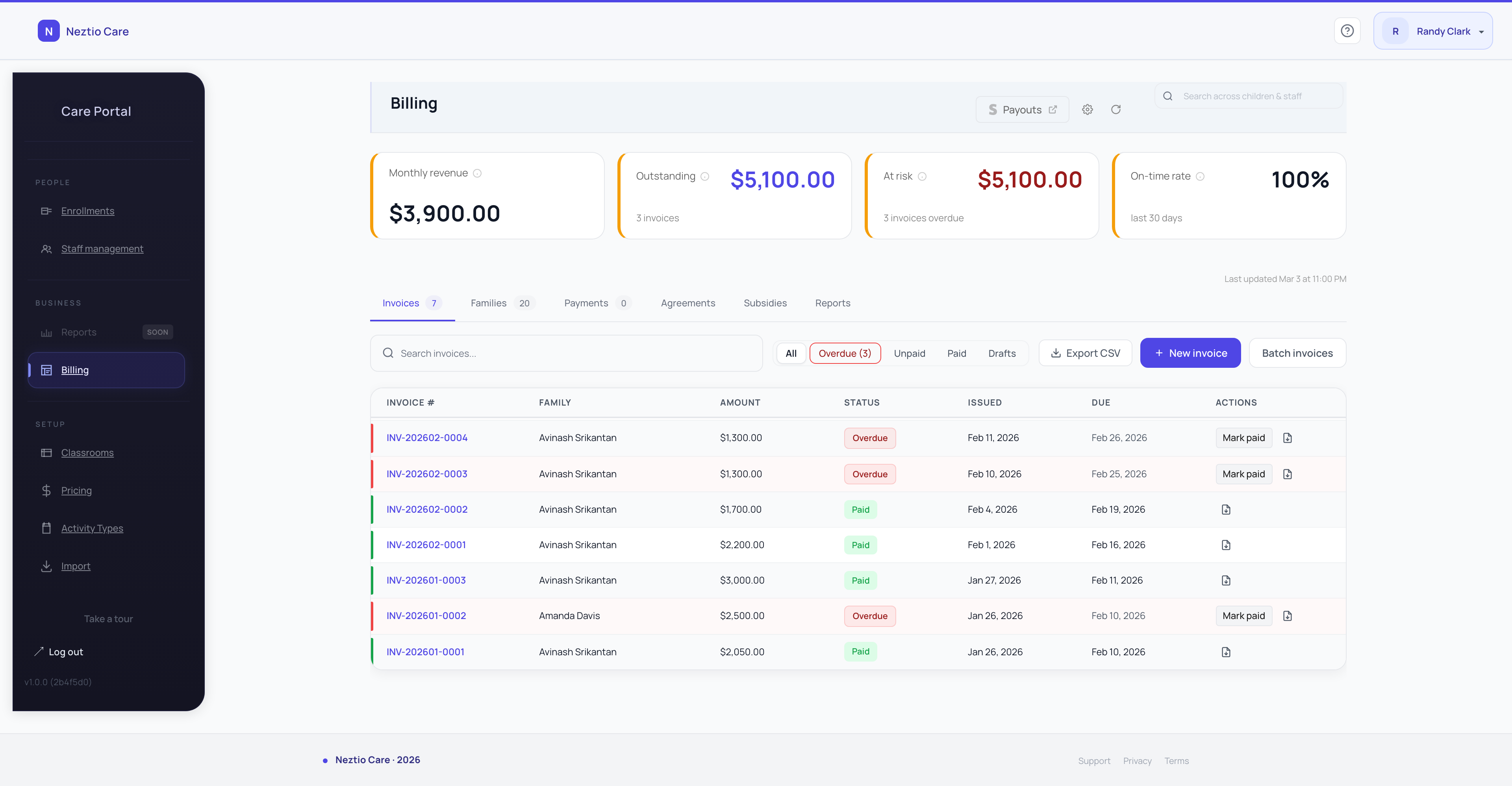
Automated billing
Invoice generation, online payments, and tuition plan management. Manual billing wastes hours every month.
Parent mobile app
Both iOS and Android. Parents should not need to log into a website to check on their child.
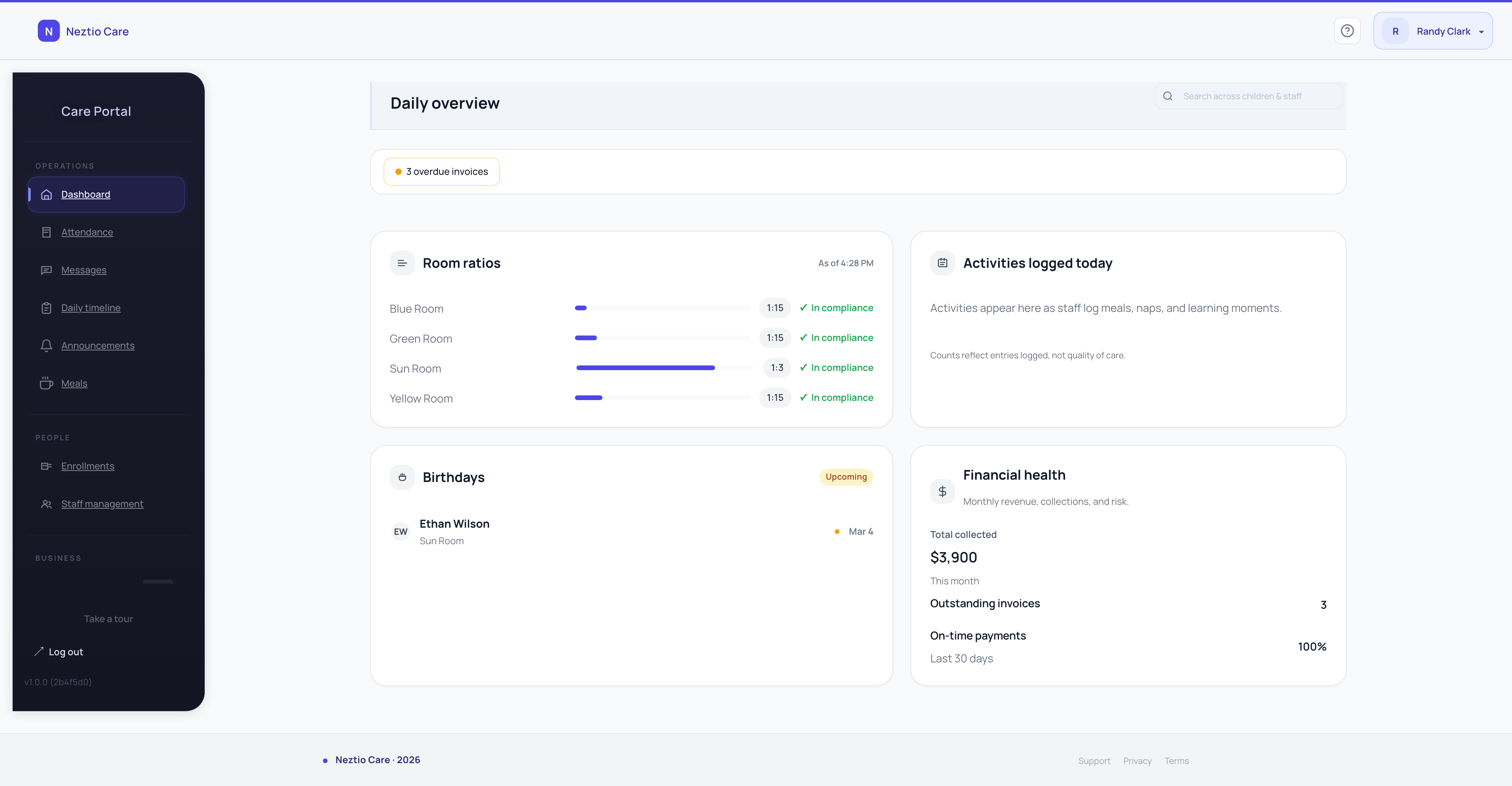
Ratio visibility
Knowing your staff-to-child ratios in real time across every classroom. This is a compliance requirement, not a nice-to-have.
4. Red flags to watch for
After evaluating dozens of childcare platforms, these are the warning signs that a platform will create more work than it saves:
Requires a desktop install or on-premise server
No free trial, or requires a credit card to start
Pricing is not published and requires a sales call
The parent app is a mobile web page, not a native app
No real-time attendance updates (batch processing or manual sync)
Staff need formal training before they can use basic features
Long-term contracts with cancellation penalties
5. How to run a proper evaluation
Do not rely on demos alone. A polished demo does not tell you what the software feels like on day 15 when your staff are using it during a busy morning.
- 1
Start a free trial with your real data
Add your actual classrooms, staff, and a few children. Use real names and real schedules. This reveals whether the setup process is realistic.
- 2
Have 2-3 staff members use it for a full week
Not just you. The people who will use it daily need to test it. If they struggle, adoption will fail regardless of how good the features are.
- 3
Test the parent experience
Download the parent app. Check in a child. Send a message. View a daily report. If the parent experience is clunky, you will hear about it.
- 4
Run billing on a test scenario
Create a tuition plan. Generate an invoice. See what the parent receives. This is where many platforms fall apart.
- 5
Evaluate the dashboard
After a week of data, look at the director dashboard. Can you see attendance trends? Ratio status? Revenue? If the dashboard does not give you a clear picture, the platform is not built for operators.
6. Switching costs are lower than you think
The biggest reason directors stay with software they do not love is switching anxiety. But most modern platforms make migration straightforward:
You do not need to switch overnight. Run both platforms side by side during a trial.
Most data (children, parents, staff) can be imported from spreadsheets.
Parents adapt quickly. The notification that a new app is available is usually all it takes.
Staff learn modern interfaces faster than you expect. If the new software is intuitive, training takes hours, not weeks.
The real cost is staying with the wrong software. Every month of manual billing, missed attendance, and frustrated parents compounds.
For a step-by-step migration plan, see our guide on how to switch childcare software without disrupting your center.
7. The landscape in 2026
The childcare software market has matured significantly. Here is how the major platforms position themselves:
Brightwheel
The most widely adopted platform. Strong on parent communication. Per-child pricing model means costs scale with enrollment. See detailed comparison
Procare
The legacy standard with decades of market presence. Desktop roots with a cloud transition. Custom pricing requires a sales process. See detailed comparison
HiMama / Lillio
Strong on documentation and developmental tracking. Popular in Canada. Limited billing capabilities compared to full-stack platforms.
Neztio
Modern cloud-native platform with flat per-center pricing. Parent-founded, director-shaped. Real-time ratio visibility, automated billing, and native parent apps. See all features
For detailed side-by-side breakdowns, visit our comparison page to see how these platforms stack up on features, pricing, and support.
The bottom line
The best childcare software is the one your staff will actually use every day. Focus on workflow fit, pricing predictability, and the parent experience. Skip the feature comparison spreadsheets and instead run a real trial with real data.
If you are evaluating platforms, start a free 30-day trial with Neztio. No credit card, full access, and you can run it alongside whatever you are using today.
Glossary terms in this article
Childcare Management Software
An integrated platform that handles enrollment, billing, attendance, communication, and reporting for childcare programs.
Enrollment
The process of registering a child in a childcare program, including collecting required documents and family information.
Billing Automation
Software features that automatically generate invoices, process payments, and track tuition for childcare programs.
Parent Communication
The systems and practices childcare programs use to keep families informed about their child's care and development.
CACFP
The USDA Child and Adult Care Food Program that reimburses childcare providers for serving nutritious meals.