How to Choose CACFP Software for Your Childcare Center (2026 Guide)
The Child and Adult Care Food Program reimburses childcare centers for meals served to enrolled children. The right software makes claiming that money straightforward. The wrong software leaves thousands of dollars on the table every year. This guide covers what to look for, where platforms fall short, and how to evaluate before you commit.
1. What CACFP actually requires from your software
CACFP reimburses childcare centers for meals and snacks served to enrolled children. Reimbursement amounts vary by each child's eligibility category: free, reduced-price, or paid. To claim reimbursement, centers need to document what was served, to whom, and when. Your software needs to support this full workflow, from logging meals at the point of service through generating the monthly claim you submit to your sponsoring organization.
Point-of-service meal logging
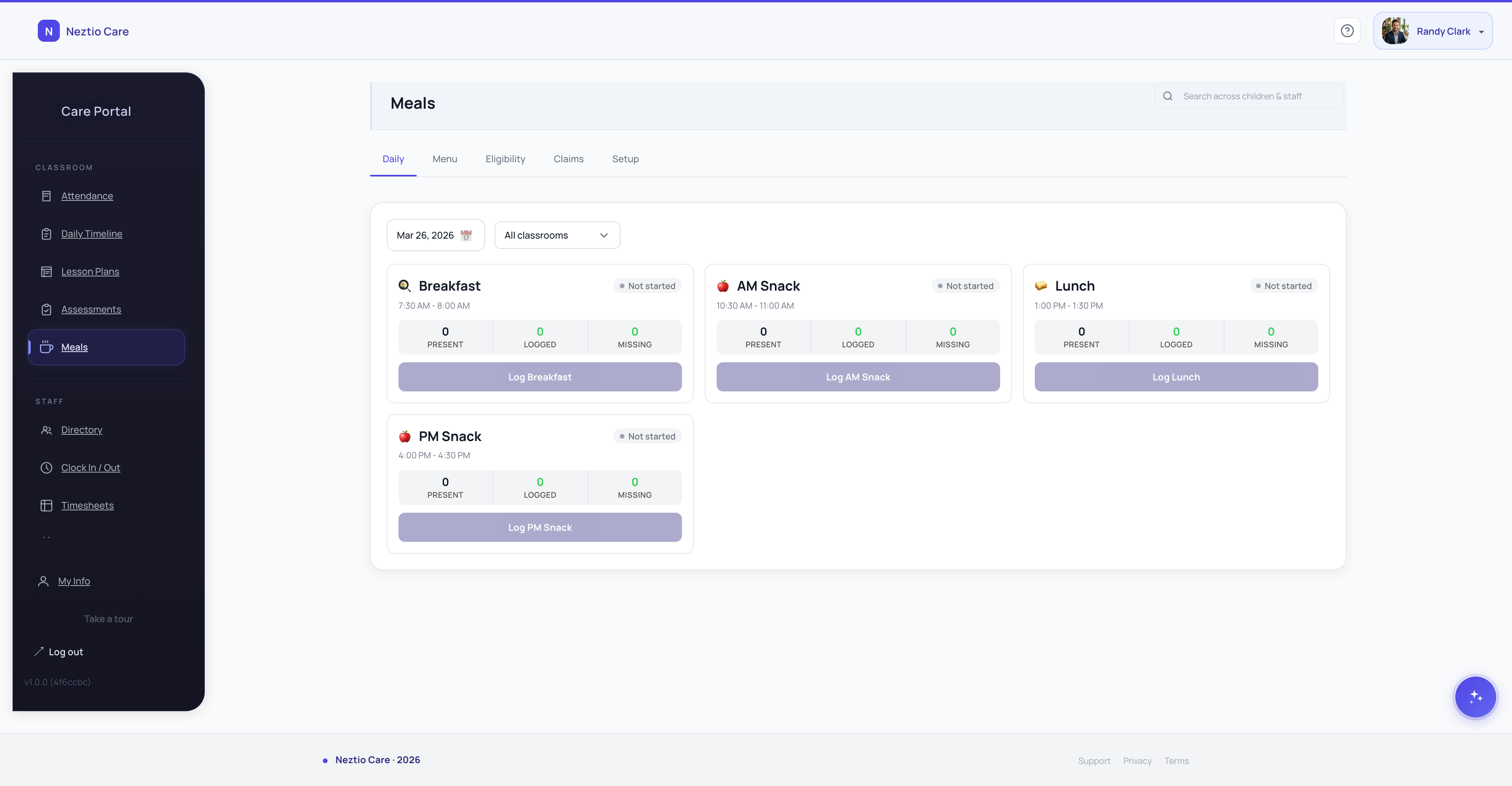
CACFP requires that meals are recorded as they are served, not reconstructed from memory at the end of the day. Your software should let staff log meals from the classroom at the time of service, capturing which children ate and what meal type was served.
Eligibility category tracking
Each child falls into one of three reimbursement categories based on family income: free, reduced-price, or paid. Your software needs to store the current category for every child and track when income eligibility forms were collected and when they expire.
Monthly claim generation
At the end of each month, you need to generate your CACFP reimbursement claim showing total meal counts broken down by meal type and eligibility category. Your software should produce this report directly, not force you to export raw data and build the claim yourself.
Audit-ready record retention
CACFP requires centers to retain meal service records for at least three years plus the current year. Your software should store all records digitally with timestamps, making them searchable and retrievable for audits without digging through filing cabinets.
Meal pattern compliance
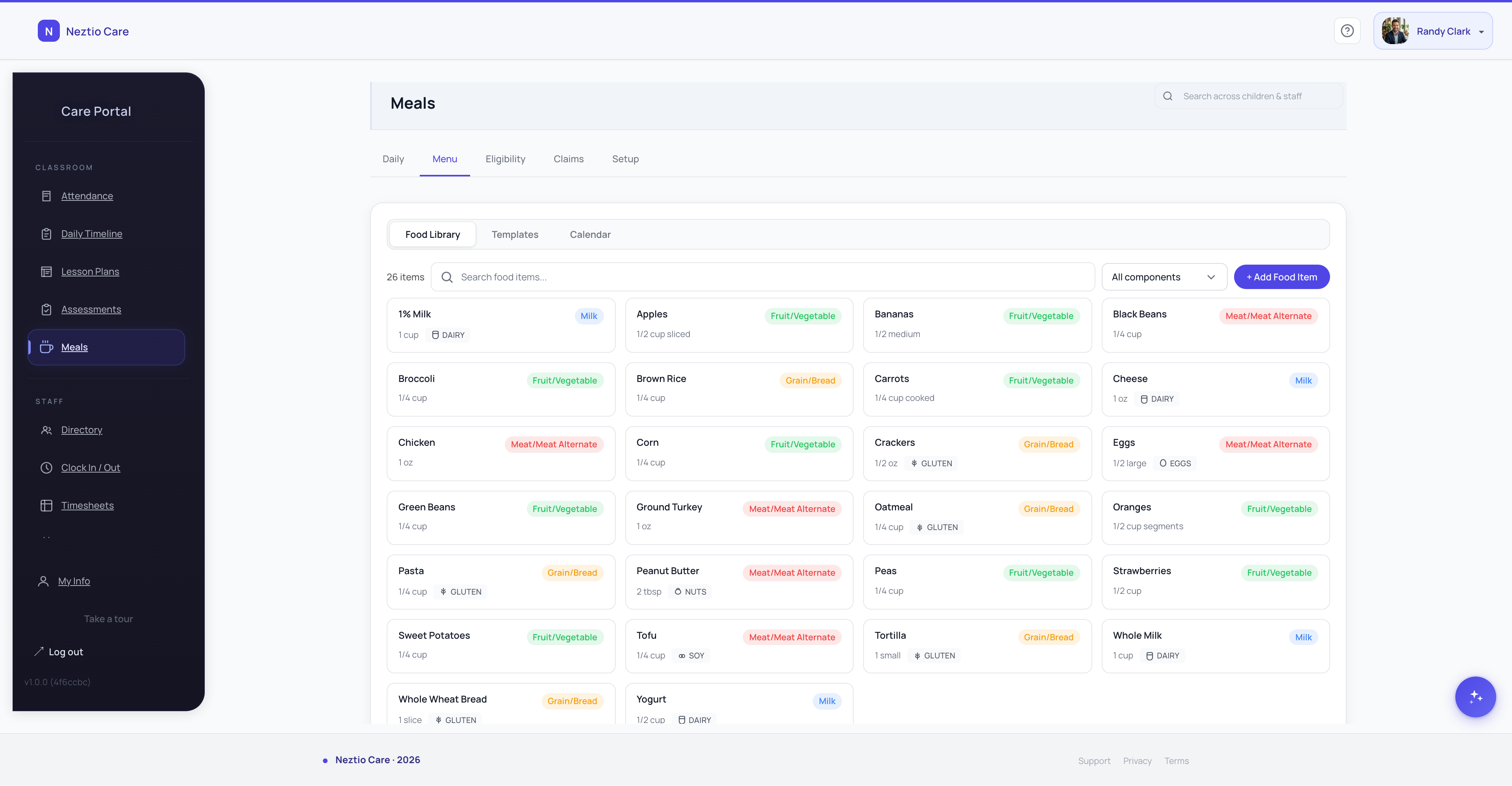
USDA meal pattern requirements define what components must be included in each meal type (for example, breakfast must include a grain, fruit or vegetable, and milk). Your software should help staff verify that meals meet these requirements before they are logged.
For a full overview of the program, see our CACFP glossary entry. If you are already participating and want to reduce claim errors, our guide on common CACFP meal count errors explains the most frequent mistakes and how to avoid them. CACFP participation also ties into your broader licensing requirements, so keeping your documentation organized is critical.
2. Where most childcare platforms fall short
Most childcare management platforms include some form of meal tracking. But there is a significant gap between logging that a child ate lunch and actually supporting the CACFP workflow. Here is where the majority of platforms break down.
Bolt-on meal tracking with no CACFP awareness
Many platforms added meal tracking as an afterthought. Staff can record that meals were served, but the system has no concept of eligibility categories, reimbursement rates, or claim formatting. It is a food diary, not a CACFP tool.
No eligibility tier management
If the system does not store each child's eligibility category (free, reduced-price, or paid), it cannot calculate reimbursement amounts or generate a proper claim. You end up maintaining a separate spreadsheet for eligibility, which defeats the purpose of having software.
No claim generation, just raw data export
Some platforms let you export meal data as a CSV or spreadsheet. That gives you the raw numbers, but you still have to format the claim, cross-reference eligibility, and do the math yourself. The most error-prone and time-consuming part of the process is left to you.
Meal logging disconnected from attendance
When meal records are not linked to attendance, there is no automatic check for whether a child was actually present when a meal was logged. This is a common source of audit findings: meal counts that do not match attendance records for the same day.
Require a separate CACFP software tool
Some platforms acknowledge their CACFP gap by partnering with a third-party meal tracking tool. This means paying for two systems, entering data in two places, and reconciling between them. It works, but it adds cost and complexity.
3. What to look for in CACFP-ready software
When evaluating software for CACFP, focus on whether the platform supports the full claim workflow, not just the meal logging step. A system built for CACFP programs should handle eligibility, counting, and claim generation as core features.
- 1
Point-of-service meal logging
Staff should log meals from the classroom view as meals are served. The interface should be fast enough that it does not slow down service. If logging a meal takes more than a few taps per child, staff will skip it and fill in records later.
- 2
Eligibility category management
The system should store each child's CACFP eligibility category (free, reduced-price, or paid) with effective dates. When a category expires or changes, the system should flag it so you update it before the next claim period.
- 3
Automatic daily count calculation
Each day, the system should calculate total meals served broken down by meal type (breakfast, lunch, snack, supper) and by eligibility category. These daily counts are the foundation of your monthly claim.
- 4
Monthly claim report generation
At the end of the month, you should be able to generate your claim report with one action. The report should match the format your sponsoring organization requires, showing totals by meal type and eligibility category.
- 5
Audit-ready record keeping with timestamps
Every meal log should include a timestamp, the staff member who recorded it, and the children who were served. These records should be retrievable by date range for audits, without needing to export and search through spreadsheets.
- 6
Integration with attendance and enrollment data
Meal records should be linked to attendance. If a child was not checked in on a given day, the system should flag any meal recorded for that child. Enrollment data should drive eligibility, so when a child enrolls or withdraws, their meal records reflect it.
4. Questions to ask when evaluating
When you are in a demo or trial, these questions will quickly reveal whether a platform genuinely supports CACFP or just checks a box on a feature list.
Does meal logging happen at the point of service?
If staff cannot log meals from the classroom while serving, they will reconstruct records later. After-the-fact logging is less accurate and raises audit risk. Ask to see the actual logging workflow and count how many taps it takes.
Can I track eligibility categories per child?
If the system does not store free, reduced-price, and paid categories with effective dates, it cannot generate an accurate claim. Ask where eligibility is managed and whether the system alerts you when categories expire.
Does it generate my monthly CACFP claim or just export raw data?
There is a big difference between a formatted claim report and a CSV of meal logs. Ask to see what the actual claim output looks like. If you still need a spreadsheet to build the claim, the platform is not saving you the work that matters most.
How far back can I pull records for an audit?
CACFP requires at least three years of records plus the current year. Ask whether records are stored permanently and whether you can search by date range, child, or meal type. If older records are archived or deleted, that is a problem.
Is CACFP included in the base price or an add-on?
Some platforms charge extra for CACFP features or require a separate module. Know the total cost before you commit. A platform that includes CACFP in the standard plan is simpler to budget for and less likely to surprise you with fees later.
5. How Neztio handles CACFP
Neztio was built for CACFP programs from the start. Meal tracking, eligibility management, and claim generation are core platform features, not add-ons bolted on after the fact.
Classroom-level meal logging
Staff log meals directly from the classroom view as they are served. The interface is designed for speed: select the meal type, confirm the children present, and the record is created with a timestamp. No end-of-day reconstruction.
Per-child eligibility tracking
Each child's CACFP eligibility category is stored with the date their income eligibility form was collected. The system flags categories approaching expiration so you can collect updated forms before they lapse.
Automatic daily count calculation
Daily meal counts are calculated automatically, broken down by meal type and eligibility category. You can review counts at any point during the month to catch gaps before claim time.
One-click monthly claim generation
At the end of the month, generate your claim report with one click. The report shows total meals by type and category, formatted and ready to submit to your sponsoring organization. No spreadsheet assembly required.
Permanent, searchable audit trail
All meal records are retained with timestamps, staff attribution, and child-level detail. Records are searchable by date range, child, classroom, or meal type. Pull up any day from the past three years in seconds.
Included on the Standard plan
CACFP meal tracking and claim generation are included in the Neztio Standard plan at no extra cost. No add-on modules, no per-feature charges, no surprises.
Need help with the food side of CACFP? Our guide to daycare meal planning covers how to build nutritious menus that meet CACFP meal pattern requirements. Accurate attendance tracking is also essential, since meal counts must match the children actually present each day. You can also use our CACFP reimbursement calculator to estimate how much your center could earn through the program.
The bottom line
CACFP reimbursement is real money that your center has already earned by serving meals. Centers participating in the program can receive $500 to $2,000 or more per month, depending on enrollment and eligibility mix. Using software that does not support the full claim workflow means leaving that money on the table, or spending hours every month assembling claims by hand.
See how Neztio handles CACFP and start a free 30-day trial. Full CACFP support is included from day one.
Glossary terms in this article
CACFP
The USDA Child and Adult Care Food Program that reimburses childcare providers for serving nutritious meals.
Meal Pattern Requirements
USDA-mandated food components and serving sizes for each meal type in CACFP.
Point-of-Service Meal Count
Recording meal counts at the time and place meals are served, as required by CACFP.
Licensing
State-issued permission to operate a childcare facility, requiring compliance with health, safety, and staffing standards.