Childcare Coverage Planning: How to Staff Every Classroom, Every Hour
The difference between a smoothly running childcare center and a chaotic one often comes down to coverage planning. Here is how to ensure every classroom has the right number of staff at every hour of the day, even when things do not go as planned.
The Challenge of Coverage Planning
Coverage planning in childcare is not simply creating a staff schedule. It is the ongoing, hour-by-hour work of making sure every classroom has enough adults to meet ratio requirements throughout the entire day. It is one of the hardest operational challenges in childcare because so many variables are constantly changing.
Consider a typical day at a center with six classrooms. Staff shifts are staggered because the center is open for 11 hours but most teachers work 8-hour shifts. Children arrive and depart throughout the day, so classroom headcounts fluctuate. Staff take breaks, and during those 30 minutes someone else must cover their room. One teacher calls in sick at 6:15 AM, fifteen minutes before opening.
All of these factors interact. A change in one classroom's staffing ripples into other rooms. The director who manages this in their head or on a whiteboard is performing a constant, stressful juggling act. And when coverage fails, the consequences are real: ratio violations can trigger licensing findings, and understaffed classrooms compromise the quality of care.
How Coverage Maps Provide Real-Time Visibility
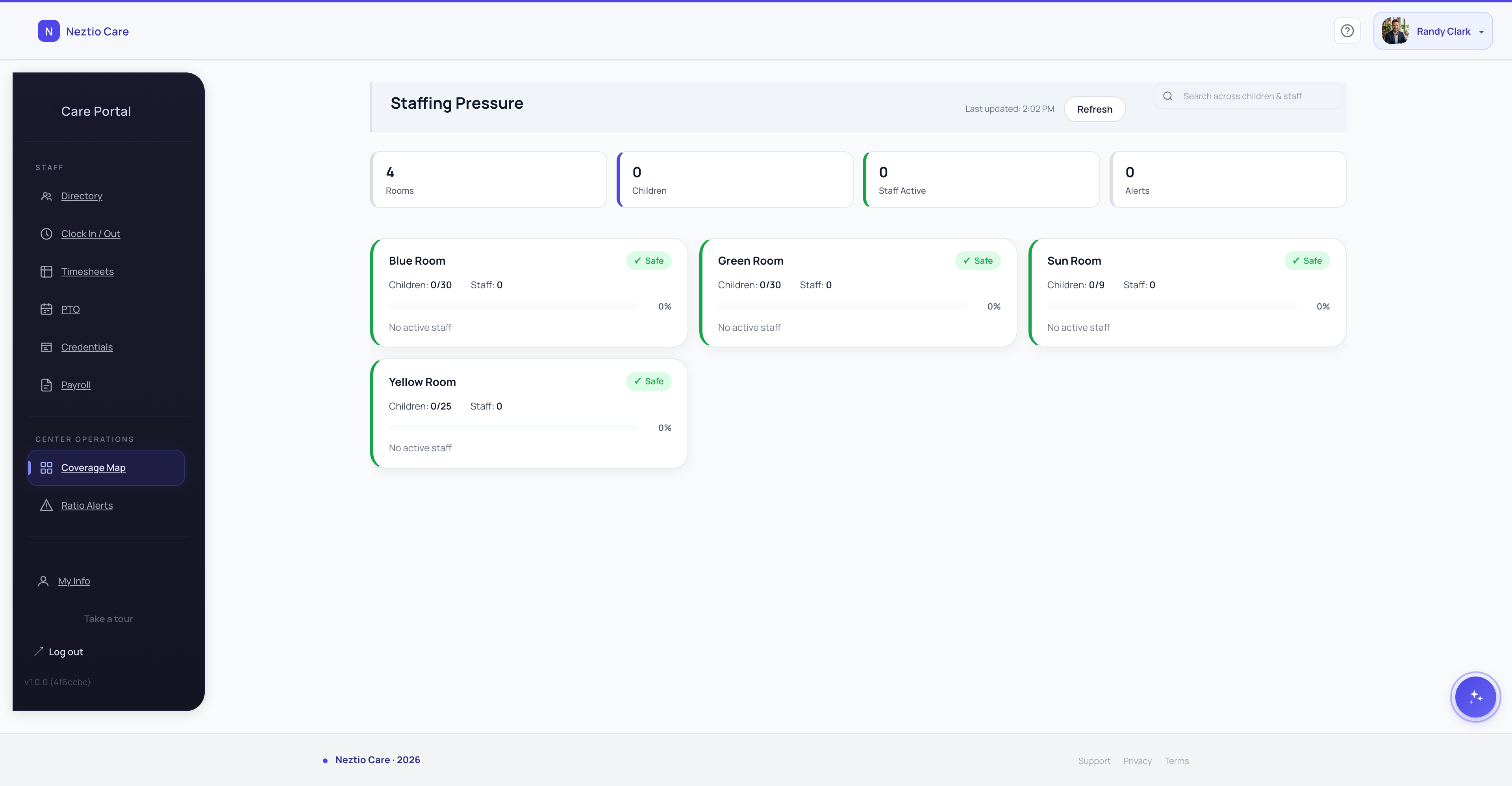
A coverage map is a visual representation of your center's staffing across all classrooms and all hours. Think of it as a grid where the rows are classrooms, the columns are time slots, and each cell shows who is assigned, how many children are expected, and whether the ratio is met.
When this map is digital and updates in real time based on clock-ins, attendance records, and schedule changes, the director gets instant visibility into coverage gaps before they become problems.
See the whole center at a glance
Instead of mentally tracking who is where, the coverage map shows all classrooms, all staff assignments, and all ratios on a single screen. Green means in ratio. Red means a gap needs attention.
Spot gaps before they happen
If a teacher's shift ends at 3:00 PM and no one is scheduled to replace them, the map shows that gap in advance. You can reassign a floater or call a substitute before the classroom goes out of ratio.
Plan around known absences
When someone requests PTO, the map immediately shows the impact. You can approve or deny with full knowledge of what coverage looks like on that day.
React faster to surprises
When a teacher calls in sick, pull up the map and see exactly which classrooms have extra staff that can be moved. Make one reassignment instead of a chain of frantic phone calls.
Using Ratio Alerts to Prevent Compliance Gaps
Ratio violations often happen not because the center is understaffed overall, but because staffing is distributed incorrectly at a specific moment. A classroom might have 12 preschoolers and only one teacher for 10 minutes while the second teacher is on break and the floater has not arrived yet. Those 10 minutes count.
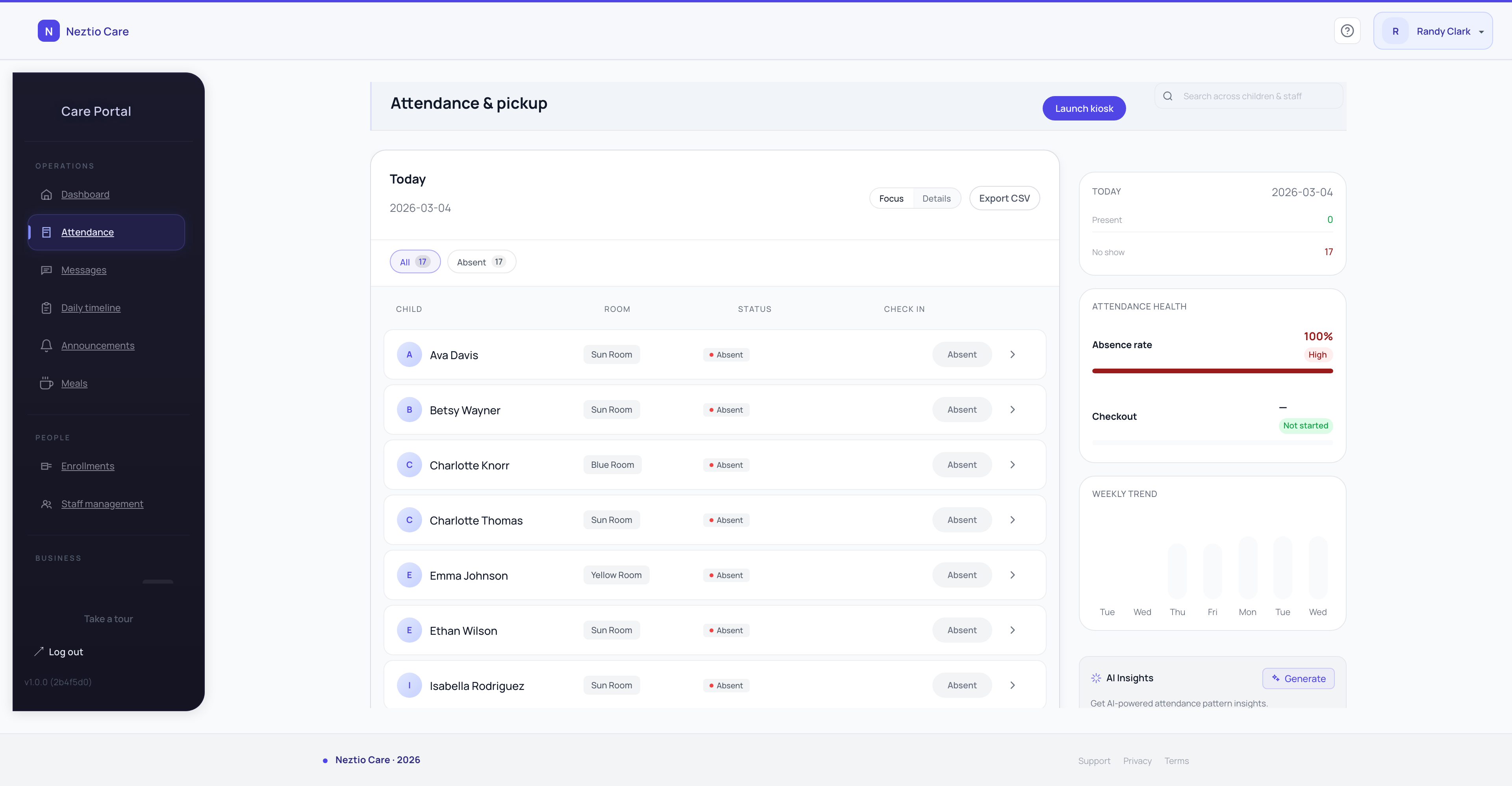
Ratio alerts work by continuously comparing the number of children checked in to each classroom against the number of staff clocked in and assigned to that room. When the ratio crosses the threshold, the system alerts the director immediately.
| Alert Type | Trigger | Action |
|---|---|---|
| Approaching limit | One more child would put the room out of ratio | Standby alert: prepare to move a floater or redirect new arrivals |
| Out of ratio | Classroom currently exceeds the required staff-to-child ratio | Immediate alert: move staff to the affected room now |
| Upcoming gap | A scheduled shift end will leave a room understaffed within 30 minutes | Proactive alert: confirm replacement is on the way |
Important
Ratio alerts are only as good as the data feeding them. They require accurate child attendance (check-in and check-out) and accurate staff time tracking (clock-in and classroom assignment). If your attendance tracking and time tracking are still on paper, ratio alerts cannot work.
Strategies for Handling Call-Outs and Emergencies
No matter how well you plan, staff will call in sick, have car trouble, or face family emergencies. The question is not whether it will happen but how quickly you can respond. Here are the strategies that keep coverage intact:
- 1
Maintain a substitute list
Keep a list of 5-10 pre-approved substitutes who have completed background checks, orientation, and basic training. When a regular staff member calls out, work down the list. The best substitute lists include each person's availability by day of week so you do not waste time calling people who cannot come in.
- 2
Schedule a dedicated floater
A floater is a staff member whose job is to move between classrooms as needed. During a normal day, they cover breaks, support transitions, and help during peak hours. When someone calls out, the floater absorbs their classroom for the day. This is the single most effective coverage strategy for centers with 4 or more classrooms.
- 3
Combine classrooms strategically
During low-attendance hours (early morning, late afternoon), you may be able to combine age-appropriate groups into a single room with fewer staff while still maintaining ratios. This is not ideal as a daily practice, but it is a valid short-term solution for emergency coverage. Always check your state's rules on group size maximums.
- 4
Build relationships with staffing agencies
Some areas have staffing agencies that specialize in childcare substitutes. The cost is higher than using your own substitute list, but having the option as a last resort prevents you from having to close a classroom or turn away families.
- 5
Track call-out patterns
If you notice that Mondays and Fridays have higher call-out rates, schedule extra coverage on those days. If flu season historically hits in January, plan ahead with substitute commitments. Data-driven staffing is better than reactive staffing.
How Daily Timeline Automation Helps
A daily timeline is a minute-by-minute record of your center's staffing and attendance throughout the day. It captures who was in each classroom, how many children were present, and whether ratios were maintained at every point.
When this timeline is generated automatically from your time tracking and attendance data, it serves two purposes:
Compliance documentation
If a licensing inspector asks you to prove that ratios were maintained at 2:15 PM on a Tuesday three weeks ago, you have the answer. The timeline provides an auditable record that paper systems simply cannot match.
Operational insights
Over time, the timeline data reveals patterns. You might discover that ratios are consistently tight between 11:30 AM and 12:15 PM because of lunch break overlap. Or that the toddler room is overstaffed from 4:00 to 5:00 PM while the preschool room is barely in ratio. These insights drive smarter scheduling decisions.
The connection
Coverage planning, time tracking, attendance tracking, and daily timeline automation are all parts of the same system. When they work together, coverage stops being a daily crisis and becomes a manageable process. When they are disconnected or manual, every day feels like putting out fires.
Practical Coverage Planning Tips
Beyond the technology, here are practical strategies that experienced directors use to stay ahead of coverage challenges:
Build your schedule with 10% buffer
If your ratios require 12 staff across all classrooms, schedule 13. That extra person is your safety net for breaks, unexpected absences, and transition support. The cost of one additional staff member is far less than the cost of a licensing violation or a day of scrambling.
Stagger shift start and end times
If all your teachers start at 8:00 AM and end at 4:00 PM, you have no coverage before 8 or after 4. Stagger shifts (6:30, 7:30, 8:30, 9:30 starts) to ensure full coverage throughout the operating day while keeping individual shifts to 8 hours.
Communicate the schedule clearly
Post the weekly schedule where all staff can see it. Send it digitally so everyone has it on their phone. When changes happen, notify affected staff immediately. Miscommunication about schedules is one of the top causes of coverage gaps.
Debrief after difficult days
When coverage fails, figure out why. Was it a scheduling gap? A last-minute call-out with no substitute available? A transition period that was not accounted for? Each failure is a learning opportunity that makes your coverage plan stronger.
The Bottom Line
Coverage planning is the operational heartbeat of a childcare center. When coverage is solid, everything else runs more smoothly: teachers are less stressed, children get consistent care, parents trust the program, and licensing visits are a non-event. The key is moving from reactive to proactive, using real-time data, coverage maps, and ratio alerts to see problems before they happen.
Ready to take control of your coverage? See how Neztio's coverage map and ratio alerts keep every classroom staffed.
Related
PTO Management for Childcare Centers: Balancing Staff Needs with Coverage
Related
Staff-to-Child Ratios: What Every Childcare Provider Needs to Know
Glossary terms in this article
Staff-to-Child Ratio
The number of caregivers required per group of children, set by state licensing regulations based on age.
Group Size
The maximum number of children allowed in a single classroom or care group, regulated by state licensing.
Licensing
State-issued permission to operate a childcare facility, requiring compliance with health, safety, and staffing standards.
Lead Teacher
The primary educator responsible for a classroom, typically holding a CDA or degree in early childhood education.